


Our own products,
built for you
At Opulon, we keep building solutions that help our clients succeed in a fast-paced digital age.
When nothing on the market does a job well enough, we build it ourselves, own it outright, and work to make it the best in its category.
Opulon Black
Booking and sales system for appointment businesses

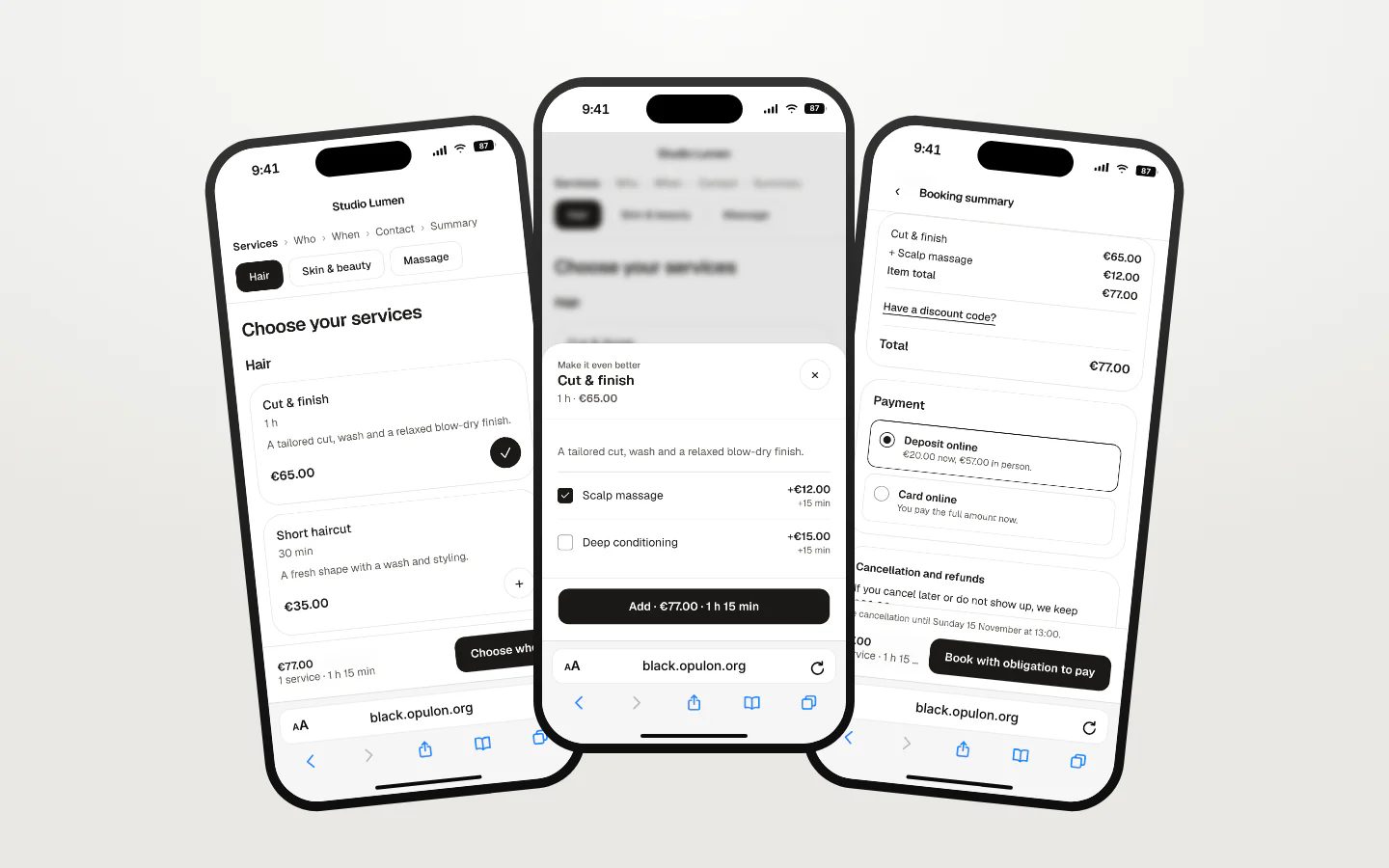
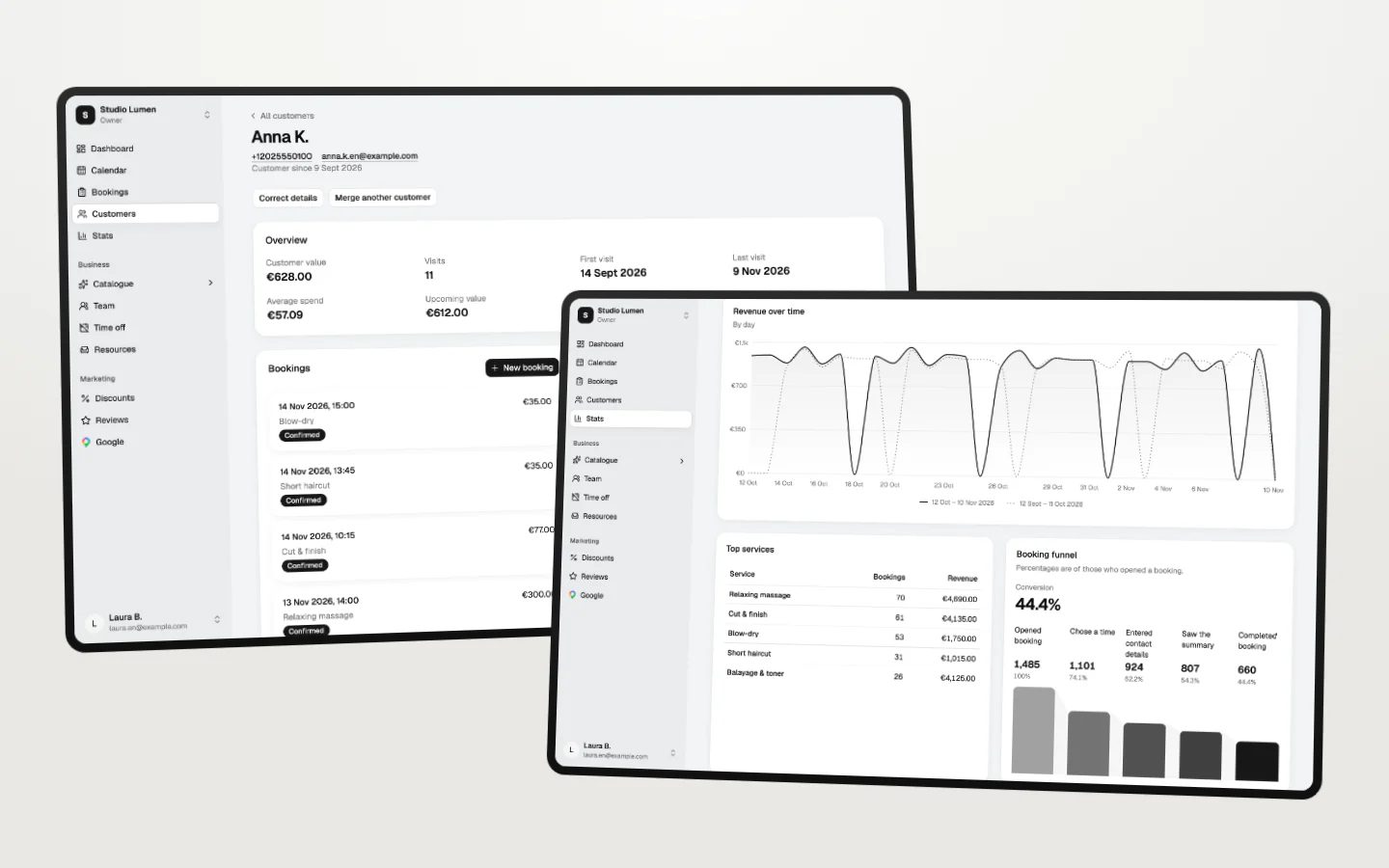
Opulon Black puts our marketing experience into software for smaller businesses that run on appointments: hair and beauty salons, barbershops, massage and physiotherapy practices, personal trainers. Customers pick a time, add extras, pay, and get a reminder. The owner sees the whole day in one calendar. We set the system up for each business under its own brand.
Invite only for now. We will open it to more businesses soon.
Visit black.opulon.orgWhat it does
- Booking page
- A hosted page or a widget in the business's colors. Customers book without an account or a password.
- Deposits and payments
- Each service sets its own rule: payment in person, a deposit, or the full price up front. Card payments run through Stripe.
- One calendar
- Online bookings, phone bookings, and blocked time in one view, synced both ways with Google Calendar.
- Extras at booking
- Add-ons, packs, promo prices, and discount codes, offered while the customer books.
- Reminders
- A confirmation and up to three reminders by email and SMS, and after the visit, one request for a Google review.
- Customers and numbers
- A file for every customer with visits, notes, and spend. Statistics compare revenue with the previous period.
Enhancly
AI product enhancement for online stores

Enhancly gives an online store one place to improve what shoppers see. A store connects its catalog or uploads a product file, and Enhancly works through it: better product photos, rewritten descriptions, SEO text, and ad creatives. The ads follow what has worked in our own campaigns.
In private beta ahead of its public launch.
Visit enhancly.ioWhat it does
- Catalog import
- Connects to WooCommerce, Shopify, and Shoptet, or takes a CSV upload or a product feed.
- Product images
- Enhances product photos and checks each result for quality before it goes back to the store.
- Descriptions and SEO
- Rewrites product descriptions, writes SEO text, and fills in missing attributes.
- Product feeds
- Builds feeds for Google Shopping, Meta, Heureka, and Zboží.cz.
- Store audit
- Reviews trust signals and the homepage, category, product, and checkout pages, then shares the report by link.
- Ad creatives
- Turns one product into a set of ads in nine Meta and Google formats, in up to four languages.
Kumiba
Project management and billing for agencies

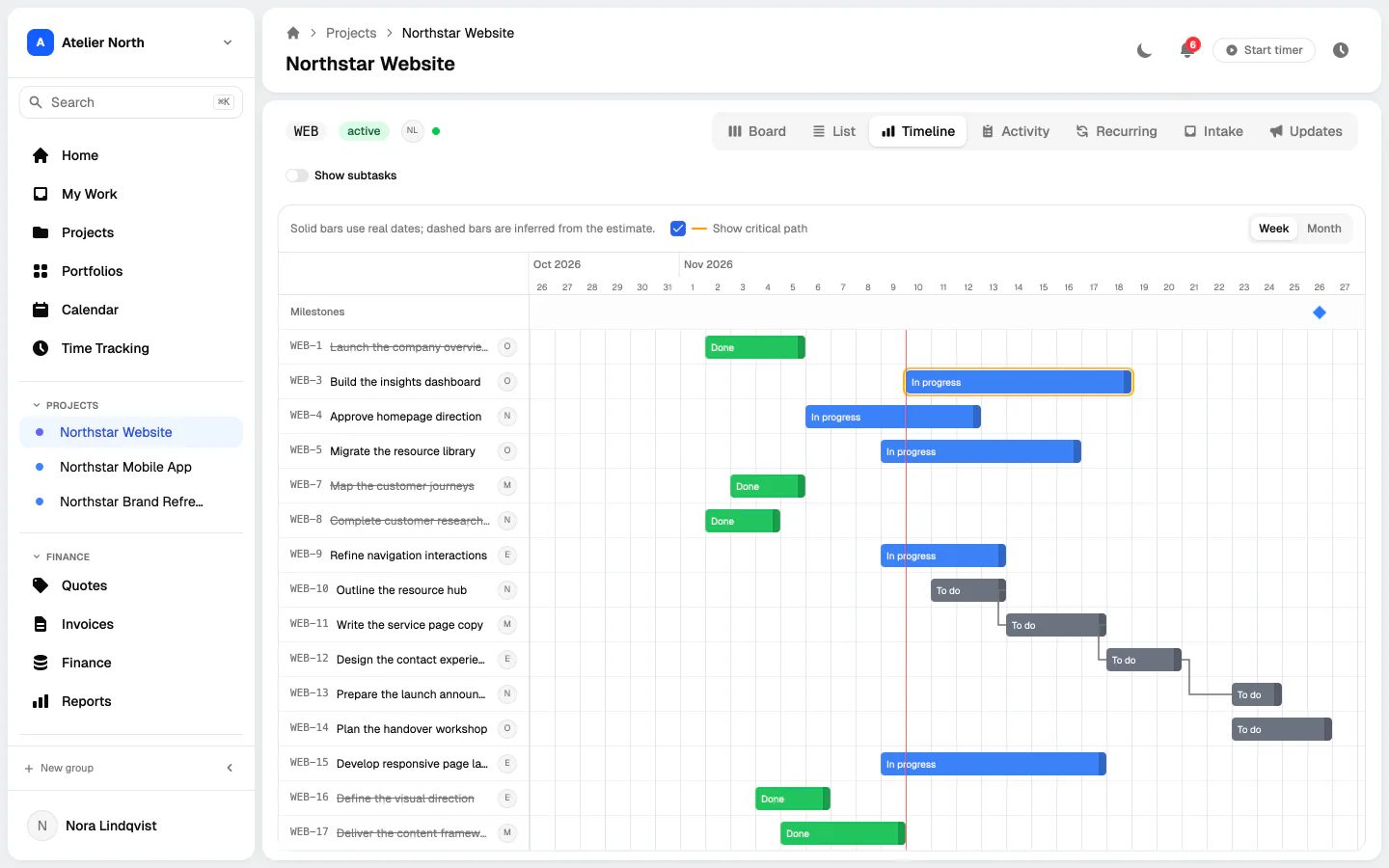
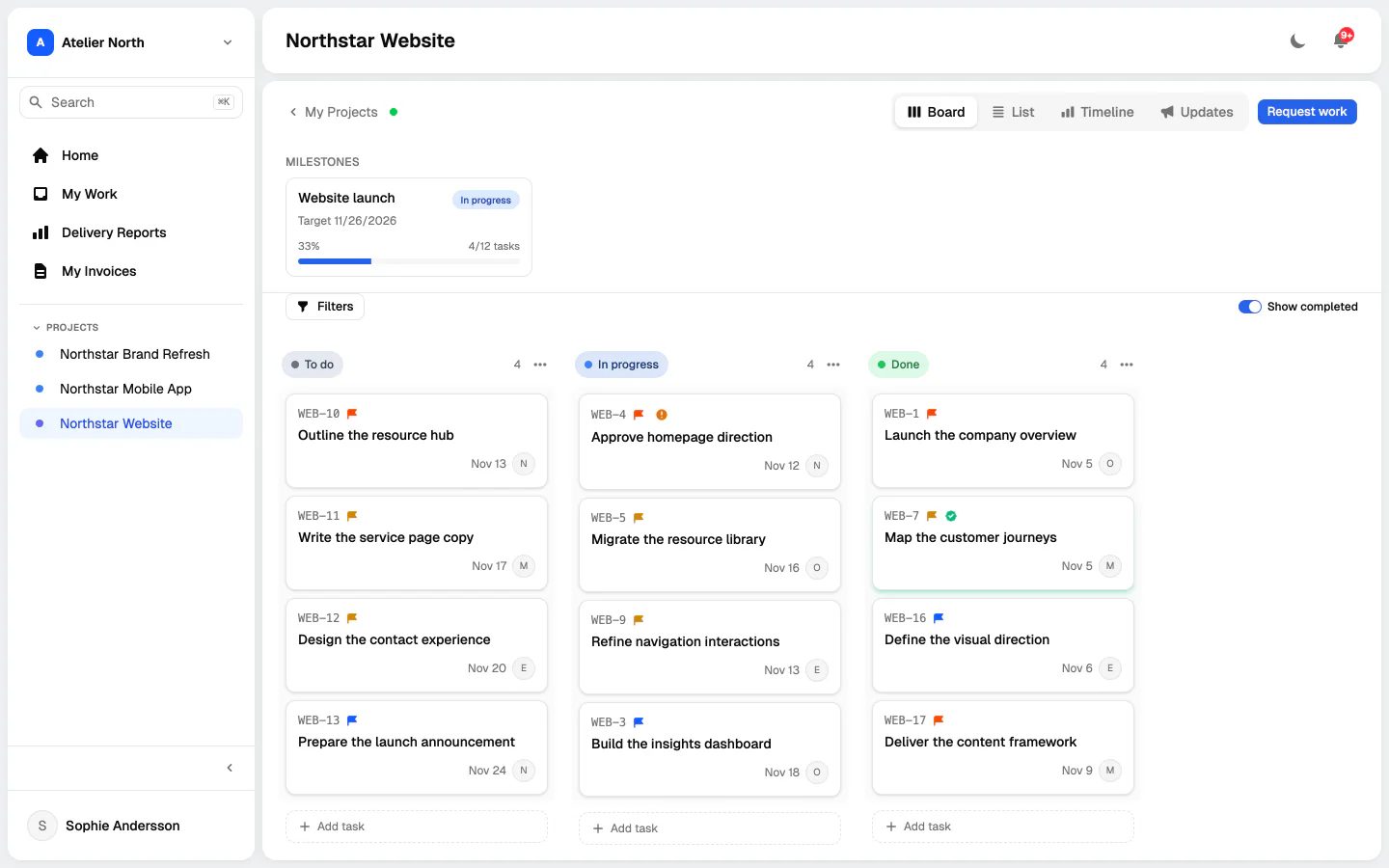
Kumiba is the system Opulon runs on. Tasks, tracked hours, contractor reports, and client invoices sit in one place, and clients follow their projects through a portal that shows only what we choose to share. That gives clients a clear view of their work and keeps the cost of managing it low. The name comes from the Japanese 組み場, the assembly place.
Used in-house and with our clients. No public release is planned.
What it does
- Tasks and views
- Board, list, timeline, and calendar views with subtasks, dependencies, recurring tasks, and sprints.
- Client portal
- Clients see progress, sign off milestones, and approve invoices. Visibility is set field by field.
- Waiting on others
- A task can wait on a client, a vendor, or an approval without leaving its place in the workflow. Each wait is timed and logged.
- From hours to invoice
- Tracked hours become contractor reports, and approved reports become client invoices with margin.
- Project updates
- Status updates with a health rating, published to the client or kept internal.
- Developer tools
- Commits and pull requests link to tasks, and an MCP server lets coding agents read tasks, comment, and log time.
For early access to our products or to have software of your own built by the same team, get in touch.
Contact Us